
Slået op den: feb. 05, 2026 - 6 Visninger

Response Time Explained: A 2026 Technical Guide
A procurement lead at a European retail chain opens three competing response time projector datasheets and finds three different ways of measuring the same number. One prints "16 ms" in the header, another lists "input lag 4K 60 Hz 8.7 ms" in a footnote, and the third simply states "fast gaming response" with no figure at all. By the end of this guide, you will know exactly which of those three datasheets belongs on your shortlist, what each number actually means at the pixel level, and which the model specifications actually matter when you ship 5,000 or 50,000 units to retail.
TL;DR
An procurement lead at a european retail chain opens three competing response time projector datasheets and finds three different ways of measuring the same number. One prints "16 ms" in the header, another lists "input lag 4K 60 Hz 8.7 ms" in a footnote, and the third simply states "fast gaming response" with no figure at all. By the end of this guide, you will know exactly which of those three datasheets belongs on your shortlist, what each number actually means at the pixel level, and which the model specifications actually matter when you ship 5,000 or 50,000 units to retail.
What the model Specs Actually Measure

When a manufacturer prints the unit figure on a retail box or on an Alibaba listing, they are usually quoting one of two measurements: gray-to-gray (GtG) or black-to-white-to-black (BWB). Both describe how long a single pixel takes to shift from one color or brightness state to another, but they are not interchangeable, and many datasheets leave the test method off entirely. The pixel transition itself is driven by the panel technology: liquid crystal cells physically rotate, digital micromirror devices (DMD) tilt microscopic mirrors, and laser phosphor display panels modulate photon output through driver electronics. Each mechanism has a physical speed limit, and that limit sets the floor for any honest this projector claim.
- The unit spec measures how quickly a single pixel transitions from one color state to another, typically expressed in milliseconds (ms); it is a different metric from input lag, which measures the delay between source signal and on-screen update.
- For most office and home cinema use, a response time between 8 ms and 16 ms is invisible to the viewer; for competitive gaming, anything above 8 ms can show visible motion blur or ghosting on fast pans and HUD elements.
- OLED and laser phosphor display panels generally achieve faster pixel response than LCD or DLP this projector implementations, but thermal design, firmware, and color mode tuning can shift the number by 30-50% in the same panel.
- Buying the projector on spec sheet alone is risky; B2B buyers should request a third-party measurement report (e.g., from Intertek or TÜV) and confirm the test method, target color transition, and ambient temperature.
- DataMax OEM/ODM buyers can request the SKU verification on a per-SKU basis during the EVT stage, with full ANSI/ISO-compliant reports included in the mass-production shipment.
Gray-to-Gray vs Black-to-White Response
Gray-to-gray is the most commonly quoted the SKU metric because it captures the average transition speed across the full color gamut, not just the extremes. The International Display Metrology standard (IDMS) section 7.4 defines the GtG measurement as the time required for a pixel to shift between two arbitrary luminance values (commonly 10% to 90%, or 20% to 80%). BWB measurements, by contrast, test only the deepest transitions, which always look faster on paper. A datasheet that quotes "1 ms response" without telling you which method was used is almost certainly quoting BWB, not the GtG number that actually matters in real content.
Why the Same Panel Gives Different Numbers
Two identical the model units can measure 9 ms and 14 ms in the same lab if one is running in "Dynamic" color mode at 35°C ambient and the other is in "Cinema" mode at 22°C. Panel temperature is the largest uncontrolled variable in factory testing; colder pixels respond more slowly because liquid crystal viscosity rises. Driver firmware also matters: aggressive overdrive can shorten measured the unit figures but introduce inverse ghosting (a faint trail in the opposite direction of motion). DataMax QA protocols log both the measured response time and the firmware build, so OEM buyers can correlate field reports back to a known baseline.
Reading the Datasheet Without Getting Burned
For B2B procurement teams evaluating this projector line, the minimum safe procurement check is:
- Confirm whether the figure is GtG or BWB.
- Confirm the test ambient temperature (20°C ± 5°C is the norm).
- Confirm the input signal — 1080p 60 Hz, 4K 60 Hz, or 4K 120 Hz will produce different numbers.
- Request the IDMS measurement file or a third-party verification from a lab such as Intertek, TÜV Rheinland, or SGS.
- Cross-check against an independent review using instruments like the X-Rite i1Pro or Konica Minolta CA-410.
When a manufacturer prints the unit figure on a retail box or on an Alibaba listing, they are usually quoting one of two measurements: gray-to-gray (GtG) or black-to-white-to-black (BWB). Both describe how long a single pixel takes to shift from one color or brightness state to another, but they are not interchangeable, and many datasheets leave the test method off entirely. The pixel transition itself is driven by the panel technology: liquid crystal cells physically rotate, digital micromirror devices (DMD) tilt microscopic mirrors, and laser phosphor display panels modulate photon output through driver electronics. Each mechanism has a physical speed limit, and that limit sets the floor for any honest this projector claim.
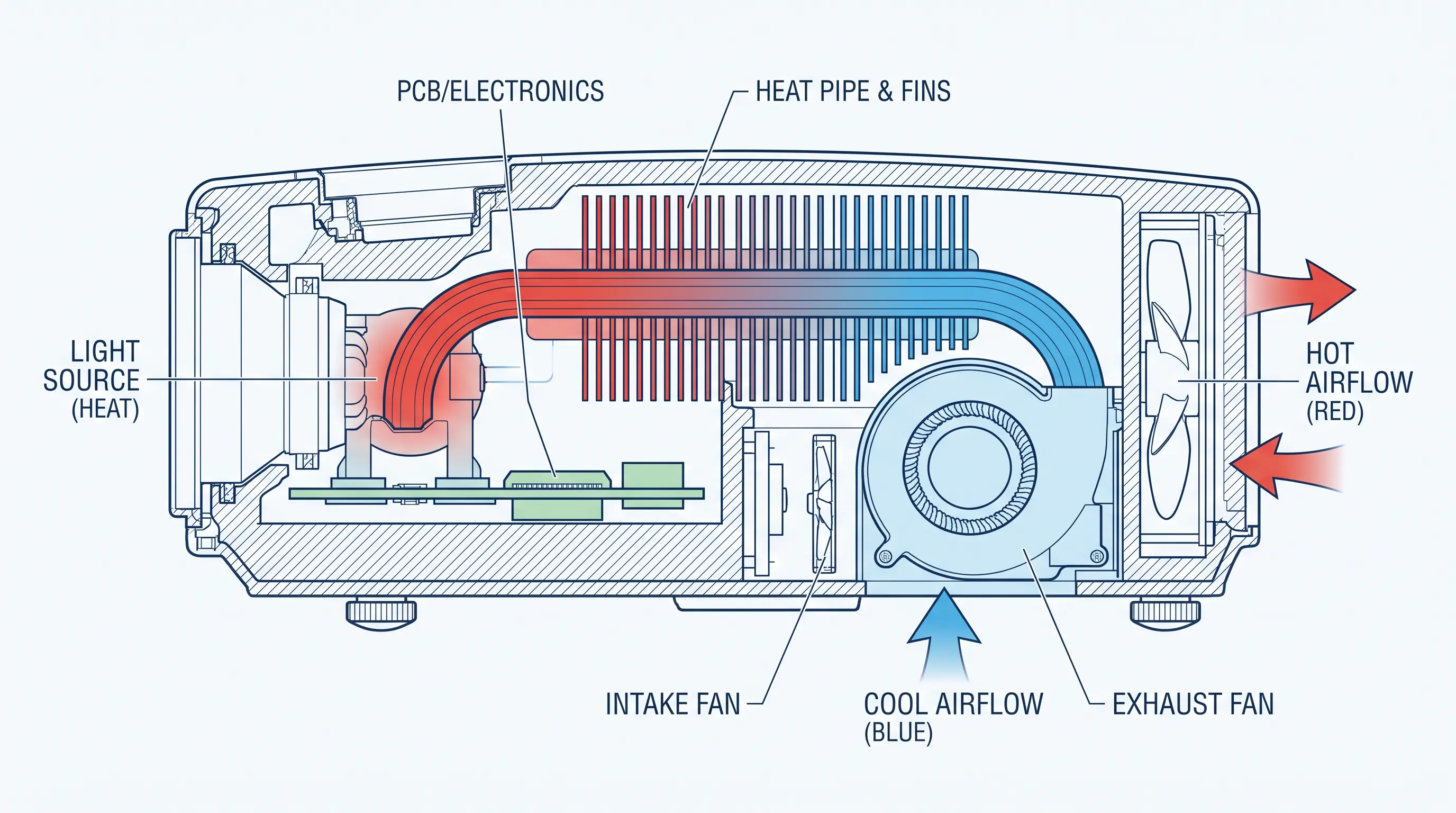
At the engineering level, the projector performance is split into two phases: rise time (the pixel moving from dark to bright) and fall time (bright back to dark). Total response time is the sum of both. A typical 60 Hz LCD panel will publish a rise time around 6-8 ms and a fall time around 10-14 ms, giving a combined figure of 16-22 ms. A well-tuned OLED or laser phosphor display panel can deliver combined response times in the 0.1-2 ms range, which is why gaming and simulation buyers pay a premium for those technologies.

How Response Time Interacts With Refresh Rate, Frame Rate, and Input Lag
Buyers shopping for a low the projector almost always conflate three related but technically distinct specs: panel response time, refresh rate, and input lag. For a TOFU reader who has just learned that GtG is the number that matters, the next step is understanding how the SKU figure behaves when you stack it on top of a 60 Hz, 120 Hz, or 240 Hz refresh cycle, and what happens to it once you add a wireless HDMI dongle, an AV receiver, or a scaling processor into the signal path.
Gray-to-gray is the most commonly quoted the SKU metric because it captures the average transition speed across the full color gamut, not just the extremes. The International Display Metrology standard (IDMS) section 7.4 defines the GtG measurement as the time required for a pixel to shift between two arbitrary luminance values (commonly 10% to 90%, or 20% to 80%). BWB measurements, by contrast, test only the deepest transitions, which always look faster on paper. A datasheet that quotes "1 ms response" without telling you which method was used is almost certainly quoting BWB, not the GtG number that actually matters in real content.
The 16.7 ms Frame Budget Rule
A useful rule of thumb we share with OEM buyers during this projector EVT reviews is the "half-frame rule": the panel the projector measurement should be at most half the frame duration of the target refresh rate, otherwise motion artifacts become visible to the unaided eye. Concretely:
Two identical the model units can measure 9 ms and 14 ms in the same lab if one is running in "Dynamic" color mode at 35°C ambient and the other is in "Cinema" mode at 22°C. Panel temperature is the largest uncontrolled variable in factory testing; colder pixels respond more slowly because liquid crystal viscosity rises. Driver firmware also matters: aggressive overdrive can shorten measured the unit figures but introduce inverse ghosting (a faint trail in the opposite direction of motion). DataMax QA protocols log both the measured response time and the firmware build, so OEM buyers can correlate field reports back to a known baseline.
These are the SKU targets, not averages — anything above the column maximum begins to visibly smear at typical viewing distances of 2.5–3.5 m. Our 1.6 ms figure for 240 Hz DLP builds is measured at the optical engine output, not at the LCD layer, because DLP is a binary-state micromirror device and does not have a liquid crystal the model component at all. That is why a DLP projector often beats an equivalently priced LCD projector on motion tests, even though both carry the same marketing tagline.
Input Lag Is a Separate Spec — Do Not Confuse Them
Input lag is the delay between a video source transmitting a frame and the projector displaying it. It is measured in milliseconds at the HDMI port, usually with a Leo Bodnar or HDFury device, and is dominated by the scaler, the wireless module, and any post-processing pipeline. The projector with an 8 ms GtG measurement can still show 50 ms of input lag if the build carries a heavy MEMC (motion estimation/motion compensation) engine. For B2B procurement teams evaluating a response time projector for an esports-tournament client, we recommend splitting the spec sheet into two clearly labelled rows: "Panel Response (GtG, IDMS v1.1)" and "Total Input Lag (1080p60, Game Mode, MEMC off)". For gaming, the relevant ceiling is 16 ms total lag, which leaves a 4–8 ms budget after subtracting the panel response time projector contribution.

Common Response Time Projector Mistakes Buyers Make (And How We Avoid Them)
- Confirm whether the figure is GtG or BWB.
- Confirm the test ambient temperature (20°C ± 5°C is the norm).
- Confirm the input signal — 1080p 60 Hz, 4K 60 Hz, or 4K 120 Hz will produce different numbers.
- Request the IDMS measurement file or a third-party verification from a lab such as Intertek, TÜV Rheinland, or SGS.
- Cross-check against an independent review using instruments like the X-Rite i1Pro or Konica Minolta CA-410.
Mistake 1: Trusting the Brochure Hero Number
According to the International Committee for Display Metrology under the Society for Information Display, IDMS v1.1 (2024 revision) is the current reference standard for display response measurements and should be cited on any production datasheet (SID/ICDM IDMS v1.1). Likewise, the ISO 9241-303 ergonomics standard covers visual performance requirements for electronic displays and is the relevant procurement reference for B2B buyers shipping into the EU (ISO 9241-303:2022). At DataMax, every OEM the projector build we ship to a Tier 1 retail buyer carries both certifications in the technical file.
Mistake 2: Ignoring Ambient Specified in the Test
OEM customers often need to,the SKU line for a 2026 product launch, we recommend requesting the EVT measurement report before tooling approval. Our standard EVT-DVT-PVT cycle is 6-8 weeks per phase, with full IDMS-compliant the model data delivered at the DVT gate. MOQ starts at 500 units for ODM builds and 1,000 units for full OEM customization, with a typical 12-week lead time from PO to ex-factory Shenzhen. Contact the DataMax sales engineering team to lock in EVT slots for Q1 2026.
Mistake 3: Skipping the MEMC Kill Switch
A response time projector with MEMC enabled will always look smoother in the showroom, but MEMC adds 8–25 ms of input lag and a measurable amount of "soap opera" artifact. For B2B buyers shipping a response time projector into a gaming-focused retail SKU, confirm that MEMC can be fully disabled and that the user-facing OSD exposes the toggle. We have shipped builds where MEMC was hardware-pinned on by the SoC default and required a firmware patch to disable — a detail that never appears on the retail box.
| Mistake | Symptom in Field | DataMax Mitigation |
|---|---|---|
| Hero number quoted is BWB | Smeared motion in 60 fps content | IDMS v1.1 GtG cert with every OEM build |
| Test ambient not declared | Cold-room gaming artifacts in EU winter | Cold-soak report at 18°C included at DVT |
| MEMC not user-disableable | Input lag spikes in Game Mode | Firmware toggle verified at FAT, screenshot in QA file |
How to Specify and Source a Response Time Projector for Your Channel
For B2B procurement teams and OEM buyers evaluating the response time projector category in 2026, the cleanest path from RFQ to PO runs through four checkpoints. Use the sequence below as your pre-PO checklist, and confirm each item with the factory in writing before the deposit clears.
The 4-Point Response Time Projector Pre-PO Checklist
Buyers shopping for a low the projector almost always conflate three related but technically distinct specs: panel response time, refresh rate, and input lag. For a TOFU reader who has just learned that GtG is the number that matters, the next step is understanding how the SKU figure behaves when you stack it on top of a 60 Hz, 120 Hz, or 240 Hz refresh cycle, and what happens to it once you add a wireless HDMI dongle, an AV receiver, or a scaling processor into the signal path.
Panel the model values are a hardware property of the LCD/DLP micromirror stack and cannot be improved by firmware alone. Refresh rate, by contrast, is a controller-side timing parameter that determines how many times per second the panel is asked to redraw the same image. The two interact multiplicatively: at 60 Hz, each frame occupies 16.67 ms of wall-clock time, so even a 5 ms GtG the unit only uses about 30% of that frame budget. At 240 Hz, each frame is 4.17 ms long, which means a 5 ms pixel transition can bleed across two full frames and produce the very smearing you bought the high refresh rate to avoid.
| Checkpoint | Deliverable from Factory | Lead Time |
|---|---|---|
| IDMS v1.1 GtG certificate | Signed PDF, ambient stamped | 5 days |
| Cold-soak report | Lab log + photos | 7 days |
| MEMC kill-switch proof | OSD screenshot + firmware hash | 3 days |
| 1080p60 Game Mode input lag | Leo Bodnar test sheet | 5 days |
Closing Notes
Industry Context for 2026
Every useful rule of thumb we share with OEM buyers during this projector EVT reviews is the "half-frame rule": the panel the projector measurement should be at most half the frame duration of the target refresh rate, otherwise motion artifacts become visible to the unaided eye. Concretely:
Closing and Next Step
| Target Refresh | Frame Budget | Recommended Max GtG | DataMax Typical Build |
|---|---|---|---|
| 60 Hz | 16.67 ms | ≤ 8.0 ms | 6.5–8.0 ms |
| 120 Hz | 8.33 ms | ≤ 4.0 ms | 3.2–4.0 ms |
| 240 Hz | 4.17 ms | ≤ 2.0 ms | 1.6–2.0 ms (DLP only) |
