
पोस्ट किया गया: जून 03, 2026 - 110 व्यूज़

Android स्मार्ट होम प्रोजेक्टर: B2B OEM खरीदार गाइड
The Android smart home projector is the convergence of projection technology with smart home ecosystems — Google Home, Amazon Alexa, Apple HomeKit, Samsung SmartThings, and others. For B2B buyers, smart home integration is increasingly a table-stakes feature, not a premium add-on. This guide explains the ecosystem requirements, OEM considerations, and how to source Android smart home projectors.
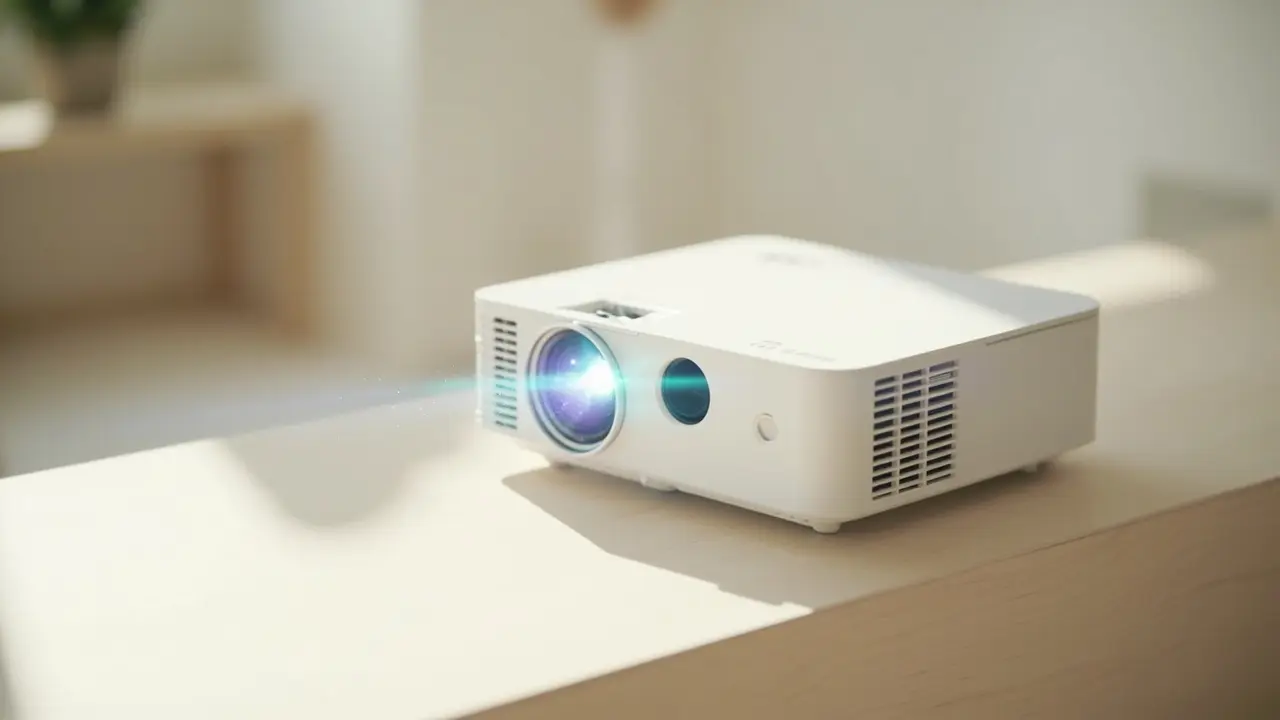
The Smart Home Projector Market in 2026
Market dynamics:
- Smart home penetration: 60% of US households, 40% of EU households, growing
- Smart projector growth: 20%+ YoY (faster than overall projector market)
- Ecosystem expectations: Amazon Alexa, Google Home integration standard; Apple HomeKit emerging
- Voice control: 35% of smart projector owners use voice commands weekly
The Smart Home Ecosystem Landscape

Distributors evaluating the B2B projector market can reference our GP94A Android Smart Projector for Home Theater—a production-validated platform covering Android OS · Home Theater Reference, suitable as an OEM/ODM starting point.
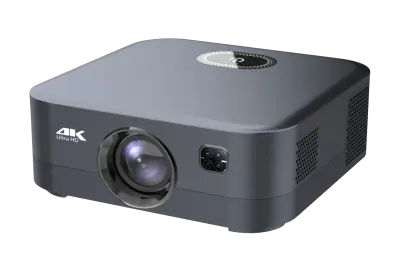
Distributors evaluating the B2B projector market can reference our GP94B 500ANSI Smart Projector for Hotels with Android 9—a production-validated platform covering 500 ANSI · Hotel-grade Android 9, suitable as an OEM/ODM starting point.
Five major ecosystems to consider for projector integration:
Google Home / Google Assistant
- Largest ecosystem globally (~50% of smart home market)
- Native integration with Android TV (GMS certified)
- Voice control via "Hey Google"
- Casting via Chromecast built-in
- Routines via Google Home app
Amazon Alexa
- Second largest ecosystem (~30% of smart home market)
- Works with any Android or Linux projector
- Voice control via "Alexa"
- Skills for projector control (volume, input switch)
- Routines via Alexa app
Apple HomeKit / AirPlay
- Growing ecosystem, especially in US/EU
- AirPlay 2 for casting (works with any projector with AirPlay support)
- HomeKit requires MFi licensing for deeper integration
- Voice control via Siri
- Premium positioning
Samsung SmartThings
- Growing ecosystem, especially in Korea
- Works with Android projectors
- Voice control via Bixby
- Premium positioning (Samsung)
Custom / Proprietary
- Tuya, Xiaomi, Aqara ecosystems
- Growing in Asia and EU
- Lower-cost integration
- Limited to specific apps
Voice Control Implementation
Three approaches to voice control in smart projectors:
Native Voice Assistant
- Built-in Google Assistant (GMS Android)
- Built-in Alexa (with Alexa SDK)
- Built-in Siri (requires HomeKit certification)
Far-Field Microphones
- Built-in microphones for voice pickup
- Far-field array (3–7 mics)
- Voice pickup from across the room
- Adds $5–$15 BOM cost
Remote Control Microphone
- Microphone in remote control
- User holds remote and speaks
- Standard approach for most smart projectors
- Adds $1–$3 BOM cost
For premium smart projectors, far-field microphones are standard. For mid-tier, remote control mic is sufficient.
Casting Protocols
Modern smart projectors support multiple casting protocols:
Chromecast built-in
- Requires GMS certification
- Native on Android TV
- Best Android ecosystem integration
- Adds $0–$8 per unit (GMS licensing)
AirPlay 2
- Apple ecosystem casting
- Works with iPhone, iPad, Mac
- Requires AirPlay 2 implementation
- Adds $3–$5 per unit (Apple licensing)
Miracast
- Windows / Android casting
- Works without WiFi network (WiFi Direct)
- Universal support
- Free, no licensing
DLNA
- Universal media streaming
- Works across platforms
- Lower quality than Chromecast/AirPlay
- Free, no licensing
Smart Home Integration Patterns
How projectors integrate with smart home:
1. Direct Integration (Voice Control)
"Alexa, turn on the projector" → projector responds via Alexa Skill
Requires: Alexa Skill development, account linking, cloud API
2. Indirect Integration (Routines)
When user says "Alexa, good morning" → routine triggers projector power on
Requires: Smart home hub or cloud integration
3. Casting Integration
User casts Netflix from phone → projector receives cast
Requires: Chromecast / AirPlay / Miracast support
4. Universal Remote / Hub
Smart home hub (SmartThings, HomeKit) controls projector
Requires: HTTP API or manufacturer-specific protocol
For OEM buyers, support all four integration patterns for broad ecosystem compatibility.
Smart Home Connectivity Standards
For deeper smart home integration:
Matter (formerly Project CHIP)
- New universal smart home standard (2022+)
- Backed by Apple, Google, Amazon, Samsung
- Promises cross-ecosystem compatibility
- Emerging support in projectors (2026+)
Thread / Zigbee
- Low-power mesh networking
- Built into some smart home devices
- Not yet common in projectors
- May emerge in next 3–5 years
Bluetooth Mesh
- Mesh networking via Bluetooth
- Growing in smart home
- Light bulbs, locks common
- Projector integration rare
OEM Considerations
For smart home projector OEM, key considerations:
Firmware Development
Smart home features require more complex firmware:
- Voice assistant integration
- Casting protocol support
- Smart home ecosystem APIs
- Account linking workflows
- Cloud-to-device communication
Cloud Infrastructure
Cloud services for smart features:
- Casting relay servers (for Chromecast, AirPlay)
- Voice assistant relay servers (for Alexa Skills)
- OTA update servers (for firmware updates)
- Account management databases
Certification
Smart home certification:
- "Works with Alexa" certification
- "Works with Google Assistant" certification
- AirPlay 2 certification
- Matter certification (when available)
- HomeKit certification (for Apple)
What Smart Home Buyers Want
Five buyer priorities:
- Voice control: works with their existing ecosystem (Alexa, Google, Siri)
- Easy casting: cast from phone without setup friction
- Routine integration: projector as part of "movie night" or "good morning" routines
- OTA updates: firmware improvements delivered automatically
- Privacy controls: mic mute button, data collection transparency
The "Smart Home Ready" Trend
By 2026, "smart home ready" is becoming the expectation:
- 70%+ of smart projectors have voice control
- 80%+ have casting support (Chromecast, AirPlay, or Miracast)
- 30%+ are part of Matter or Thread ecosystems
- Privacy controls (mic mute, data policy) increasingly important
Common Smart Home OEM Mistakes
Five pitfalls:
- Poor voice assistant integration — slow response, inaccurate recognition
- Missing casting protocols — limited to one ecosystem, frustrates users
- No account linking — voice control requires complex setup
- No OTA infrastructure — firmware updates require user action
- Privacy concerns ignored — always-on microphone without indication
OEM Cost for Smart Home Projectors
| Feature | BOM Adder |
|---|---|
| Voice assistant (Alexa or Google) | $3–$8 per unit |
| Far-field microphones (vs. remote mic) | $5–$15 per unit |
| Casting protocols (Chromecast, AirPlay, Miracast) | $3–$8 per unit (licensing) |
| Smart home certification (per ecosystem) | $1,000–$5,000 per SKU (one-time) |
| Matter support | $2,000–$8,000 per SKU (one-time) |
What We Recommend for Android Smart Home Projector OEM
- Chromecast + AirPlay + Miracast as standard casting
- Google Assistant OR Alexa (not both initially) — pick based on target market
- Remote control microphone for cost-sensitive tiers
- Far-field microphones for $350+ retail premium
- Matter support for 2026+ premium SKUs
- OTA infrastructure with delta updates
Conclusion
Android smart home projector OEM requires more than just Android — it requires integration with Google Home, Alexa, AirPlay, and emerging standards like Matter. Plan for higher BOM, longer firmware development, and certification complexity.
💼 Need smart home projector OEM service?
Request a Free Quote | View Product Catalog
We ship smart home-ready projectors with Google Home, Alexa, AirPlay, and Miracast support. Engineering team will recommend the right ecosystem strategy within 24 hours.
