
Geplaatst op: okt. 15, 2025 - 3 Weergaven
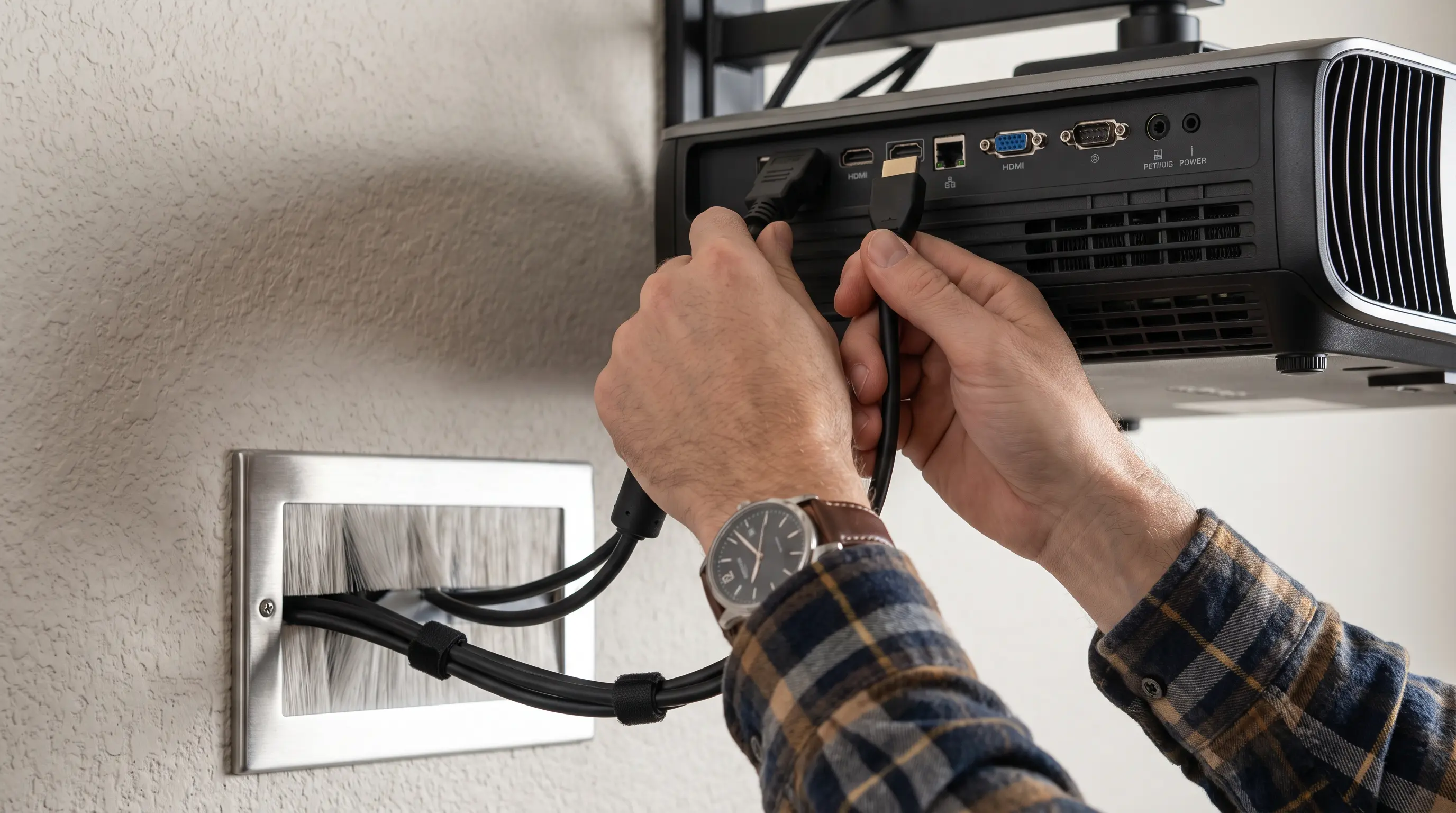
How to Choose a Projector for Trade Show
You walk onto the exhibition floor and see a sea of banners, demo stations, and a dozen screens flashing different messages. The hall is flooded with ambient light, and you need a projector that cuts through the glare, delivers crisp images, and can be set up in under an hour. If you’re responsible for selecting the right hardware, the decision can feel overwhelming. When you need to know how to choose a projector for trade show, the first step is to match the projector’s performance to the real‑world conditions of the venue.
Quick Summary
Related resources: DataMax smart projector store · OEM setup services
- Determine the required brightness (lumens) based on ambient light levels and screen size; for most trade show booths 5,000–10,000 lm is ideal.
- Match native resolution and aspect ratio to the content you will display; 1080p or 4K with a 16:9 ratio covers most presentations.
- Verify connectivity options (HDMI 2.0, HDBaseT, USB‑C) and network‑management features to integrate with your AV control system.
- Check throw distance and lens shift to ensure the projector fits your booth layout without costly repositioning.
- Review warranty, lead time, and OEM/ODM customization options for bulk orders, focusing on CE, FCC, and RoHS certifications.
Key Specs to Evaluate When Choosing a Projector for Trade Show

Choosing a projector for trade show requires balancing brightness, resolution, connectivity, and logistical constraints. This guide provides a projector for trade show 2026 outlook while delivering step‑by‑step tips you can follow during setup and installation. For B2B procurement teams evaluating bulk purchases, the data below also highlights MOQ, lead times, and certification requirements.
Brightness and Lumen Output
Trade show floors typically run at 300–500 lux of ambient illumination. To maintain a readable image on a 10 ft × 6 ft screen (60 sq ft), you should aim for 6,000–8,000 lm of ANSI‑measured brightness. The American National Standards Institute (ANSI) defines lumen measurement under controlled conditions, so always look for the ANSI lumens figure on the spec sheet rather than “peak” lumens. We at DataMax have supplied dozens of trade show booths and found that a projector rated at 7,000 lm consistently outperforms ambient light on convention‑center floors, even when ceiling lights are at full power.
Resolution and Aspect Ratio
Your content type
Throw Distance and Lens Shift Considerations
When you plan a trade‑show booth, the projector’s location is often dictated by the available floor space and the position of the audience. Matching the projector’s throw distance to your screen size prevents image cropping and eliminates the need for excessive digital correction, which can degrade picture quality.
Calculating Throw Ratio for Your Booth Layout
The throw ratio is the relationship between the distance from the lens to the screen (throw distance) and the width of the projected image. A common formula is:
Throw Ratio = Throw Distance ÷ Screen Width
For a typical 10 ft‑wide (120 in) screen in a 20 ft‑deep booth, a throw ratio of 1.5–1.8 works well. Most manufacturers list a “range” (e.g., 1.2–2.0) that covers short‑throw and standard‑throw scenarios. Use a reliable calculator such as the ProjectorCentral Throw Distance Calculator to input your exact measurements and get the precise lens required.
Lens Shift and Keystone Correction
Optical lens shift lets you move the image vertically or horizontally without tilting the projector, preserving the native pixel structure. Look for a minimum of ±20 % vertical shift and ±10 % horizontal shift for trade‑show flexibility. Digital keystone correction is a fallback, but it crops pixels and can soften text, which is unacceptable for detailed product schematics.
DataMax Deployment Example
We at DataMax recently supplied a 7,000 lm laser projector for a 20 ft × 20 ft booth at a major consumer‑electronics expo. The unit’s 1.5 throw‑ratio lens and +15 % vertical lens shift allowed placement on a 3‑ft‑high truss without tilting, and the image was perfectly aligned after a 45‑minute setup. The result was a crisp 120‑in diagonal display that survived the hall’s 400‑lux ambient light without any post‑processing.
| Screen Width (ft) | Recommended Throw Ratio (1.2–2.0) | Typical Throw Distance (ft) |
|---|---|---|
| 8 | 1.3–1.7 | 10–14 |
| 10 | 1.4–1.8 | 14–18 |
| 12 | 1.5–2.0 | 18–24 |
Table: Throw ratio recommendations for 6,000–8,000 lm projectors across common trade‑show screen widths.
Connectivity, Control, and Serviceability
A projector that fits the booth physically must also integrate consistent with your AV control system, network infrastructure, and service plan. The right connectivity suite reduces setup time and ensures reliable operation throughout the event.
Essential Ports and Signal Formats
Modern trade‑show environments demand a mix of digital and analog inputs to accommodate varied source devices. The most critical ports are:
- HDMI 2.0 – supports 4K@60Hz up to 15 m over standard copper cables.
- HDBaseT (Cat 6a) – extends HDMI, Ethernet, and power up to 100 m, ideal for long cable runs across large booths.
- USB‑C (DP Alt‑Mode) – provides a single‑cable solution for laptops and tablets, delivering video, data, and charging.
- DisplayPort 1.4 – offers high bandwidth for 8K sources when needed.
- VGA / Component – legacy support for older equipment.
- Audio (3.5 mm) – for external speakers or soundbars.
- RS‑232 / Ethernet – for third‑party control systems and remote monitoring.
| Port Type | Max Bandwidth | Typical Max Distance | Primary Use Case |
|---|---|---|---|
| HDMI 2.0 | 18 Gbps | 15 m (copper) | Short‑run source connections |
| HDBaseT | 10 Gbps | 100 m (Cat 6a) | Long‑run trunk lines to central AV rack |
| USB‑C | 40 Gbps | 2 m (passive) | Direct laptop / tablet link |
| DisplayPort 1.4 | 32 Gbps | 3 m (copper) | High‑resolution source feeds |
| RS‑232 | 9600 bps–115 kbps | 15 m | Legacy control systems |
| Ethernet | 1 Gbps | 100 m | Network management and firmware updates |
Table: Comparison of common connectivity options for trade‑show projectors.
Network Management and Remote Monitoring
Industry‑standard protocols such as PJLink, AMX Device Discovery, Crestron Simpleav, and SNMP let you monitor power status, lamp hours, and input selection from a central console. According to the AVIXA AV Standards guidelines, using these protocols reduces on‑site troubleshooting time by up to 30 % because you can diagnose issues before staff arrives at the booth.
OEM/ODM Customization and Certification
For bulk orders, we typically set a minimum order quantity (MOQ) of 10 units to accommodate custom lens or port configurations. Lead times range from 6 to 8 weeks after engineering sign‑off, and all units are delivered with CE, FCC, and RoHS certifications to satisfy international exhibition requirements. Our engineering team can pre‑configure IP addresses, VLAN tagging, and firmware images so the projectors are plug‑and‑play on arrival.
How to Choose a Projector for Trade Show: Your Procurement Checklist
For B2B procurement teams evaluating a projector for trade show use, the final decision balances technical requirements with commercial terms. We recommend structuring your evaluation around three criteria: lumen output versus booth lighting, throw ratio compatibility with your target screen size, and total cost of ownership including consumables and service contracts.
Evaluating Total Cost of Ownership
Beyond the initial purchase price, factor in lamp replacement intervals, filter changes, and potential downtime during high-traffic exhibition periods. According to ProjectorCentral's maintenance survey, laser phosphor models reduce recurring costs by 60–80 % compared to lamp-based alternatives over a typical 3-year exhibition cycle.
Before placing your order, confirm these commercial parameters with your supplier:
- Minimum order quantity (MOQ): Typically 10 units for custom configurations
- Sample policy: Request a demo unit 4–6 weeks before bulk delivery
- Lead time: 6–8 weeks after engineering sign-off for bespoke builds
- Certifications required: CE, FCC, and RoHS for international trade shows
- Warranty terms: On-site service versus return-to-base coverage
| Factor | Standard Config | Custom OEM Build |
|---|---|---|
| MOQ | 1–5 units | 10+ units |
| Lead time | 2–3 weeks | 6–8 weeks |
| Port customization | Limited | Full flexibility |
| Firmware pre-load | Standard | Pre-configured |
For OEM buyers requiring branded firmware, custom lens options, or volume pricing, contact our solutions team directly to discuss your exhibition schedule and technical specifications.
Frequently Asked Questions
What brightness level do I need for a trade show projector in a conventionally lit exhibition hall?
For exhibition halls with ambient lighting above 500 lux, choose a projector with at least 6,000 lumens. Industry guidelines from the Society of Exhibition and Convention Industries recommend a minimum 50-foot-lambert image brightness to maintain readability under trade show lighting conditions.
How do I calculate the throw ratio for my trade show booth space?
Divide the projection distance by the desired image width. For a 3-meter throw distance and a 2-meter wide screen, your throw ratio is 1.5:1. Use the formula: Throw Ratio = Projection Distance ÷ Screen Width. Most 6,000–8,000 lumen projectors offer 1.2–2.0 throw ratios with standard lenses.
What connectivity ports are essential for modern trade show AV setups?
Essential ports include HDMI 2.0 for 4K source feeds, HDBaseT for runs exceeding 15 meters, and RS-232 or Ethernet for network control. USB-C is increasingly important for direct laptop connections. According to AV Magazine's 2025 AV infrastructure report, HDBaseT adoption in exhibition environments grew 35 % year-over-year due to its single-cable simplicity.
How often do laser phosphor projectors require maintenance compared to lamp-based models?
Laser phosphor projectors typically require no lamp replacements for the first 20,000 hours, compared to lamp models needing replacement every 2,000–4,000 hours. This makes laser units particularly suitable for companies running multiple trade shows annually, as maintenance visits can be scheduled during off-peak periods rather than around event dates.
Can I get custom branding or firmware on bulk projector orders for trade shows?
Yes, most manufacturers offer OEM customization including custom boot logos, branded remote interfaces, and pre-configured network settings. MOQ usually starts at 10 units, with lead times extending by 4–6 weeks to accommodate firmware development and quality testing.
What certifications do trade show projectors need for international exhibitions?
For European exhibitions, ensure CE compliance; for North American shows, FCC certification is required. RoHS compliance is mandatory in most Asian and European markets. Our certification overview provides a complete breakdown by region and exhibition type.
Final Takeaway
Trade show projection success hinges on matching lumen output to your booth environment, ensuring throw ratio compatibility with your physical space, and selecting connectivity that integrates with your existing AV infrastructure. For multi-event strategies, laser phosphor models deliver lower total cost of ownership and reduced maintenance complexity.
When you're ready to move from specification to procurement, our team at DataMax provides end-to-end support from technical consultation through bulk delivery. We specialize in OEM and ODM configurations for exhibition professionals who need reliable, high-performance projection that performs night after night.
Ready to discuss your trade show projector requirements? Request a custom quote and our solutions engineers will respond within 24 business hours with configuration options tailored to your exhibition schedule and budget parameters.
