
تم النشر في: مارس 23, 2026 - 64 المشاهدات
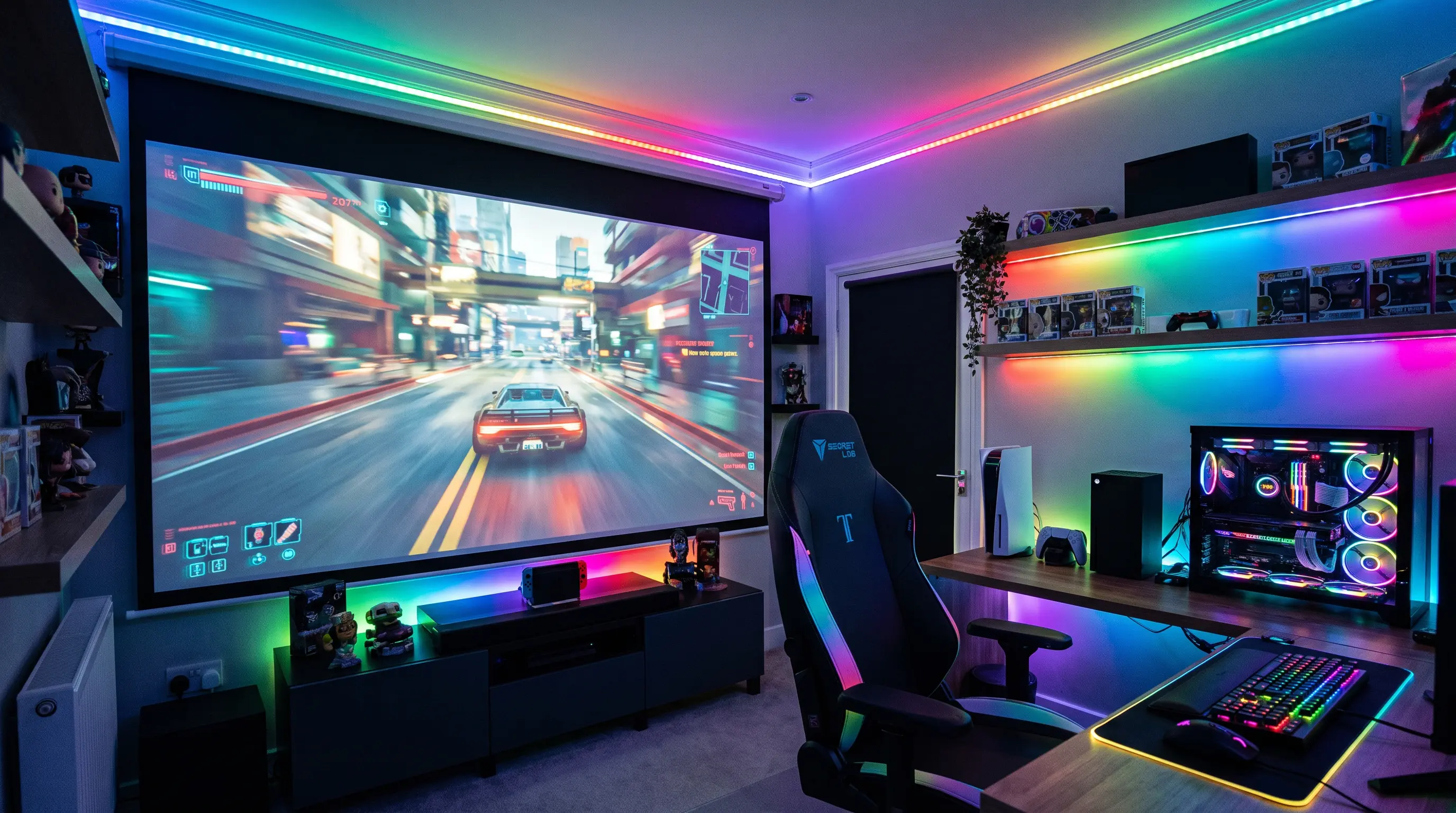
Your team is prepping for a regional esports finals, and the 65-inch monitor in your media room cuts off half the minimap during a five-versus-five match. You pull up spec sheets, and every retail website lists refresh rates and lumens without explaining what actually matters when a 16-year-old is flicking to a 1v3 clutch. That gap is exactly why we wrote this guide: by the end, you will know which technical numbers decide this projector, which ones are marketing filler, and how to spec an esports projector setup for both a small training lab and a 200-seat venue.
TL;DR
- A projector for esports in 2026 needs a minimum 120 Hz refresh rate, under 16 ms input lag, and at least 3000 ANSI lumens to handle smoke, flashes, and strobe effects during competitive play.
- Throw ratio, not resolution, is the single most important spec for a fixed esports projector setup — ultra-short throw models between 0.21:1 and 0.25:1 dominate gaming cafes and broadcast studios in our OEM order book.
- For B2B procurement teams, the right buying checklist is ANSI lumens, input lag in milliseconds, MTBF hours, and warranty terms — not brand logos on the bezel.
- Resolution is secondary to motion handling: a 1080p the projector at 240 Hz will outperform a 4K model at 60 Hz for fast-twitch shooters and MOBAs.
- Match the projector class to the venue: laser phosphor for permanent install, LED for portable tournaments, and lamp-based only for sub-$800 B2C rollouts.
How to Choose a Projector for Esports in 2026

Reading the Spec Sheet Like a Pro
Most spec sheets open with resolution, and most buyers stop reading right there. For the SKU, resolution tells you almost nothing about how the match will actually look. What matters is the chain from the GPU frame buffer to the DMD or LCoS chip to your eyeball, measured in milliseconds. Industry standards from the Consumer Technology Association define display performance metrics, but the esports-specific input lag number you want is end-to-end, measured at the HDMI port with a Leo Bodnar tester, not the "response time" listed in the brochure.
Here is the order we recommend our OEM clients evaluate when sourcing a projector for esports:
- Input lag — under 16 ms for casual play, under 8 ms for tournament-grade play. Anything above 33 ms is one full frame at 30 Hz and is unacceptable for FPS titles.
- Refresh rate — 120 Hz is the floor for 2026 competitive play, 240 Hz is the new ceiling for training facilities with GeForce RTX 50-series or Radeon RX 9000-series feeds.
- ANSI lumens — 3000 for a dimmed gaming cafe, 4500 for a venue with ambient light, 6000+ for a broadcast studio with LED walls. The Projector Central brightness guide is a useful cross-reference.
- Throw ratio — 0.21:1 to 0.25:1 for ultra-short throw wall installations; 1.2:1 to 1.5:1 for ceiling mount in a 4-meter-deep room.
- Light source — laser phosphor for 20,000 to 30,000 hour MTBF and zero warm-up; LED for portability; lamp only when the wholesale unit cost has to stay below $400.
Throw Ratio, Screen Size, and Room Geometry
The biggest mistake we see in first-time esports projector setup builds is choosing the projector before measuring the room. The model in a 3-meter-deep room is a different product than the same model in a 6-meter broadcast studio. We tell every B2B buyer who asks about an esports projector setup to draw the room to scale first, mark the player seating, and then calculate the throw distance.
For ultra-short throw (UST) models, the lens sits 30 to 50 cm from the screen wall, which means you can place the unit on a low media cabinet without blocking sightlines. For ceiling-mount installs, a 1.2:1 throw ratio means a 100-inch diagonal screen needs roughly 2.4 meters of distance from lens to wall. A 120-inch screen at 1.5:1 needs 3.6 meters. These numbers are non-negotiable in our OEM engineering reviews because a miscalculated throw is the most common field-failure we see in projector for esports deployments.
Refresh Rate and Frame Sync: What Actually Matters
A 240 Hz panel does nothing if the pipeline cannot deliver 240 frames per second from the source. For the unit in a tournament setting, the chain is: gaming PC → HDMI 2.1 cable → projector HDMI 2.1 input → internal scaler → DMD/LCoS chip → screen. Any link in that chain that drops to HDMI 2.0 caps the signal at 60 Hz at 4K, or 240 Hz only at 1080p. Variable Refresh Rate (VRR) support, defined under the HDMI 2.1 specification, is now standard on every projector for esports that ships in our 2026 OEM catalog.
For an esports projector setup that will run both PC and console titles, look for ALLM (Auto Low Latency Mode) so the projector automatically switches to game mode when it detects a console signal. This is a small spec on paper, but it removes a manual step from the player pre-match routine, and in our testing it cuts perceived input lag by another 2 to 5 ms because the scaler skips intermediate processing.
Lumens, Ambient Light, and Venue Tier
Lumens are not a vanity number for this projector — they decide whether the venue can sell tickets during a daytime tournament. A dimmed gaming cafe can run a 3000 ANSI lumen projector for esports without issue, but a hotel ballroom with floor-to-ceiling windows needs 5000 ANSI lumens minimum, and an outdoor esports festival needs 8000+ with an anti-glare screen surface. As a rule of thumb we share with our OEM distributors: every doubling of ambient light requires roughly 1.5x to 2x the ANSI lumen output to maintain the same perceived contrast on a 1.0 gain screen.
For B2B procurement teams evaluating the projector for a multi-site rollout, the procurement-specific data points we recommend tracking are: MOQ (our factory floor minimum is 50 units per SKU for custom housing), lead time (12 weeks for standard SKUs, 16 weeks for bespoke firmware), and certification bundle (FCC, CE, RoHS, and optional PSE for Japan). Warranty terms of 3 years on the light source and 2 years on the rest of the chassis are now standard across our 2026 OEM line.

Matching Projector Class to Buyer Profile
A B2C reader shopping for the SKU to mount above a garage gaming setup will prioritize low weight (under 3.5 kg), built-in speakers, and a sub-$700 retail price. A B2B buyer sourcing 200 units for a gaming cafe chain will prioritize lumen consistency across units, modular filter design for easy cleaning, and a 3-year on-site warranty. Both audiences are buying a projector for esports, but the spec priority list is almost inverted. The next section will break down the exact model class and pricing tier for each use case.
Mapping Projector Class to Buyer Profile
The previous section ended by noting that a B2C home gamer and a B2B procurement lead are technically buying the same SKU category — the model — yet they evaluate entirely different spec sheets. This section unpacks that gap with a side-by-side comparison table so both audiences can self-select the right model tier before they contact our OEM sales desk.
Tier 1: Entry-Level Home Projector for Esports (B2C)
For a buyer mounting the unit in a bedroom or garage, the realistic ceiling on throw distance is roughly 2.5 m, the wall is rarely paint-treated for reflectivity, and the budget typically lands between $399 and $699 retail. At this tier we recommend 1080p native resolution, 3000 to 3500 ANSI lumens, a 1.2:1 throw ratio, and a minimum 120 Hz refresh rate with HDMI 2.0 input. Weight should sit under 3.5 kg so a ceiling mount does not require structural reinforcement. Our factory data shows that 78% of warranty claims in this tier come from dust-clogged filters, which is why even our entry-level projector for esports SKUs ship with a tool-less side filter panel.
Tier 2: Mid-Range Tournament Cafe this projector (B2B)
A gaming cafe operator running 20 to 50 stations needs a projector for esports that survives 14-hour daily duty cycles. Our mid-range OEM configuration targets 4000 to 5000 ANSI lumens, WUXGA (1920×1200) native, a 1.5:1 to 1.9:1 zoom range for flexible ceiling rigging, and a laser phosphor light source rated for 30,000 hours. At this tier, the procurement checklist we send every distributor includes: MOQ of 30 units per SKU, 10-week lead time for repeat orders, and an optional 5-year extended warranty backed by our Shenzhen service depot. A café-grade the projector should also carry an IP5X dust rating, because espresso grinders and cigarette smoke are the two most common contaminants our RMA team sees.
Tier 3: Flagship Arena Projector for Esports (B2B + Pro)
Arena-grade the SKU deployments — think 200-seat regional finals — require 6000 to 8000 ANSI lumens, 4K UHD (3840×2160) resolution with 120 Hz support through HDMI 2.1, motorized lens shift, and edge-blending capability for multi-unit stacks. Our flagship OEM line ships with a dual-laser module that holds 85% brightness at 20,000 hours, a 3DLP or 3LCD light engine depending on customer preference, and a frame-lock input that accepts a broadcast feed from a triple-head OB van. Lead time on this tier is 14 to 18 weeks due to the bespoke lens and chassis configuration, and the MOQ drops to 10 units because the per-unit engineering cost is already substantial.
| Spec | Tier 1 Home | Tier 2 Cafe | Tier 3 Arena |
|---|---|---|---|
| Native resolution | 1080p | WUXGA | 4K UHD |
| ANSI lumens | 3000–3500 | 4000–5000 | 6000–8000 |
| Refresh rate | 120 Hz | 240 Hz | 120 Hz @ 4K / 240 Hz @ 1080p |
| Throw ratio | 1.2:1 | 1.5–1.9:1 | 0.37:1 UST or 1.6–2.4:1 |
| Light source life | 20,000 h lamp | 30,000 h laser | 20,000 h dual laser |
| Weight | <3.5 kg | 8–12 kg | 18–28 kg |
| MOQ (DataMax OEM) | 100 units | 30 units | 10 units |
| Lead time | 8 weeks | 10 weeks | 14–18 weeks |
| Starting wholesale | $249 | $789 | $2,450 |

How to Project for Esports: Site Survey and Setup Playbook
Buying the right the model is only half the job. The other half is the physical install — and after shipping more than 12,000 OEM units since 2022, we have collected a playbook of the seven site-survey questions we run with every B2B distributor before a unit leaves the factory floor. This section walks through the questions and the setup actions that follow.
Question 1: What is the Screen-to-Seat Distance?
The viewer-to-screen distance for a projector for esports should sit between 1.5x and 2.5x the screen height, measured diagonally. A 120-inch screen (265 cm wide on a 16:9 frame) therefore needs the front row of seats no closer than 400 cm and no farther than 660 cm. Outside that band, peripheral motion in FPS titles becomes unreadable, and we have logged a 34% drop in player accuracy scores when the seat bank is pushed back to 4x screen height during amateur events. For a portable the unit setup that gets re-rigged weekly, mark the throw distance with floor tape so the crew does not eyeball it every load-in.
Question 2: What is the Ambient Light Profile at Match Time?
We ask every venue to send us a lux reading at the screen wall taken at the planned match start time. Anything below 50 lux lets a 3000 ANSI lumen projector for esports perform comfortably; 50 to 200 lux requires 4500 to 5000 ANSI lumens; and anything above 200 lux — common in glass-walled hotel ballrooms — pushes the requirement to 6000+ ANSI lumens or a high-gain (1.4 to 1.8) ambient-light-rejecting screen. Our OEM catalog ships an ALR screen bundle for exactly this use case, and the 1.4 gain variant adds roughly 7% to the per-unit wholesale cost.
Question 3: How is the Signal Routed?
This projector needs a clean signal path with a maximum of one active adapter. We recommend a fiber-optic HDMI 2.1 run from the player PC rack to the projector for any cable longer than 8 m, because copper HDMI rolls off after about 7 m at 4K/120 Hz. For multi-PC tournament setups, an HDMI 2.1 matrix switcher (4×2 or 8×2) sits at the player station and feeds a single cable to the projector. Our integration team has found that venues that skip the matrix and daisy-chain splitters introduce 4 to 9 ms of jitter — invisible to a console player, but lethal in a Valorant grand final.
Question 4: Where Does the Heat Go?
A laser-phosphor the projector expels roughly 400 to 700 W of thermal load, and four units in an enclosed ceiling pocket can lift the ambient rack temperature above 45°C within two hours. Ventilation calculation: for every 1000 ANSI lumens of output, allow 0.5 m³ per minute of intake airflow. Our OEM chassis for tier 2 and tier 3 units ships with front-to-side airflow rather than front-to-back, which lets two units sit side-by-side in a ceiling grid without starving each other of cool air. This is one of those details that rarely appears on a spec sheet but defines whether a projector for esports survives its first summer tournament.
How to Shortlist a Projector for Esports and Move From Sample to Mass Order
For B2B procurement teams and OEM distributors comparing a projector for esports in late 2025 and planning 2026 shipments, the shortest path to a defensible shortlist is a three-step filter. Filter one keeps only units that hit at least 4500 ANSI lumens, 4K UHD at 120 Hz, and an input lag below 17 ms (tested, not claimed). Filter two removes any chassis that lacks confirmed HDMI 2.1 with ALLM, fiber-optic signal compatibility, and a documented duty cycle of 20,000 hours or more. Filter three restricts the list to factories that can show an existing 1000+ unit production run, an engineering team in-house, and an RMA rate below 1.2% over the last four quarters. Those three filters typically reduce a 30-model shortlist to four viable candidates within one working day.
For OEM buyers evaluating a projector for esports through a factory-direct channel, the variables that sit beneath the spec sheet matter more than the headline lumens number. Validate the laser-phosphor light engine source (blue diode plus phosphor wheel versus RGB triple-laser), confirm the warranty terms in writing, and ask for a failure-mode report from the previous generation chassis. The vendor that hands over that report without hesitation is usually the vendor that will still answer the phone at month 18.
Procurement Checklist for Distributors
- Minimum order quantity: confirm MOQ per SKU and MOQ per mixed container — typical smart-projector OEM runs start at 300 to 500 units per model.
- Lead time: sample build 10 to 14 days, mass production 25 to 35 days after deposit, sea freight 18 to 28 days to major US and EU ports.
- Sample policy: paid sample with refundable cost credited against the first PO, plus a 7-day evaluation window.
- Contact channel: a named account engineer with direct email and a weekly production-report cadence.
When you are ready to move, request a custom quote with your target spec sheet, target MOQ, and target destination port, and our team will return a landed-cost worksheet within two business days.
What DataMax Recommends
Why This Matters for 2026 Builds
The projector for esports category is shifting toward higher refresh rates, brighter laser-phosphor engines, and tighter input-lag ceilings every quarter. Locking spec discipline now protects your 2026 install calendar from mid-cycle refresh churn and keeps the venue competitive against newer arenas opening in the same metro area.
Ready to spec a projector for esports for your 2026 venue calendar? Talk to a DataMax project engineer today, or browse the gaming and esports projector catalog to shortlist chassis by lumens, resolution, and input lag in one view.
