
Church Projectors for Sanctuaries, Halls & Ministry Rooms
How to choose a projector for a church space
1. Measure the light
Brightness must be sized against window light and house lighting, not screen size alone. Daylight sanctuaries need substantially more ANSI lumens than a blacked-out youth room; plan dimming zones where possible.
2. Define screen and seating
Screen width, ceiling height, and the distance to the front row set the required image size and resolution. Hymn lyrics and Bible text demand legibility from the back row, which favors native Full HD.
3. Work out the throw
Distance from lens to screen determines throw ratio. Rear-balcony and high-ceiling installs need long-throw geometry; small rooms close to the screen suit short-throw platforms and avoid shadows in the aisle.
4. Plan mounting and aiming
Fixed ceiling installation, keystone correction range, accessible power and signal paths, and safe maintenance access should be designed before the first unit is ordered, not after.
5. Match the signal chain
Plan for the switcher or laptop source, HDMI runs, wireless presentation from a phone or tablet, and any live-stream or sound-desk integration the worship team already uses.
6. Consider uptime
Houses of worship run weekly schedules with volunteer operators. Sealed optical engines, simple remotes, spare-unit planning, and consistent models across rooms reduce the maintenance burden on the tech team.
Shipping models that fit church use
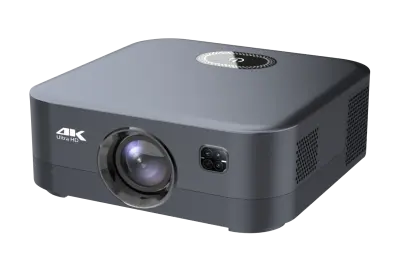
GP94B 500 ANSI Install Projector
500 ANSI lumens, native 1080P, Android 9, AI autofocus and keystone. A ceiling-install candidate for fellowship halls and smaller sanctuaries.
View model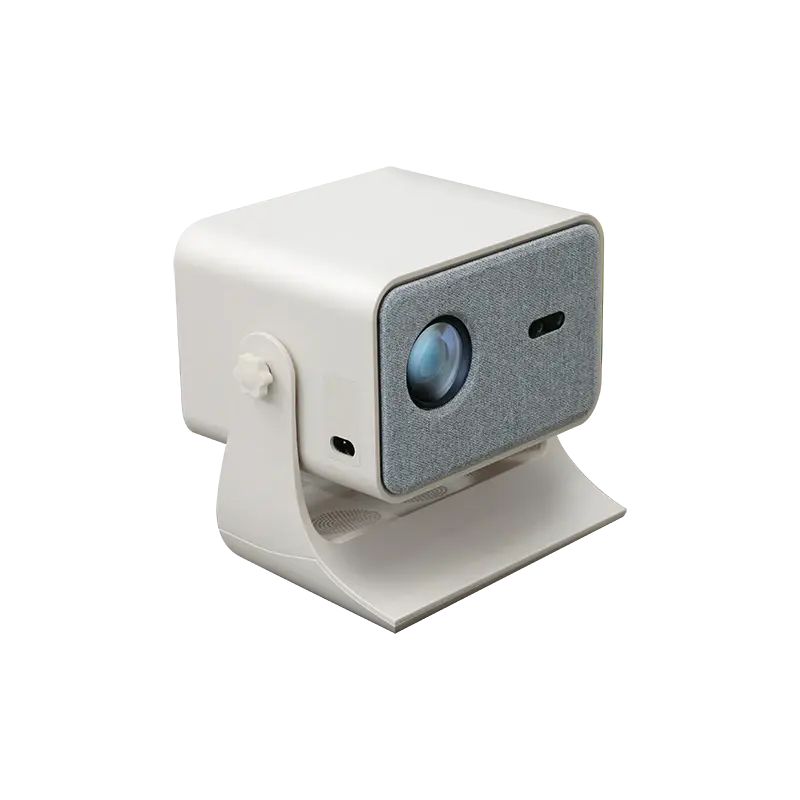
GP95-GTV Sealed Google TV Projector
400 ANSI, sealed optical engine for dust-prone installs, native 1080P, Google TV, autofocus and keystone. Ceiling-install listed for ministry and meeting rooms.
View model
GP98 800 ANSI High-Brightness Model
800 ANSI, native 1080P, WiFi 6 and Bluetooth 5.4, autofocus and keystone. The brightest smart platform in the current lineup for brighter youth and multi-purpose rooms.
View model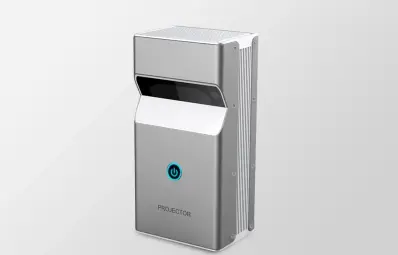
DP01 Ultra-Short-Throw Interactive
Ultra-short-throw 100-inch Full HD image with interactive touch module on Android 9. Purpose-built for Sunday-school classrooms and interactive teaching walls.
View modelOutfitting a large or high-brightness sanctuary?
Supplying a denomination, district, or distributor
Identical units across campuses
Standardize one validated platform per room type so spare parts, remotes, training, and troubleshooting stay consistent across every site.
Custom branding
Denomination or reseller branding on units, welcome screens, manuals, and packaging for distributors serving the worship market.
Accessory planning
Matching mounts, cables, spare remotes, and on-site spares kitted per site before the rollout ships.
Volunteer-friendly setup
Pre-configured inputs, simple default home screens, and clear quick-start documentation for non-technical operators.
